
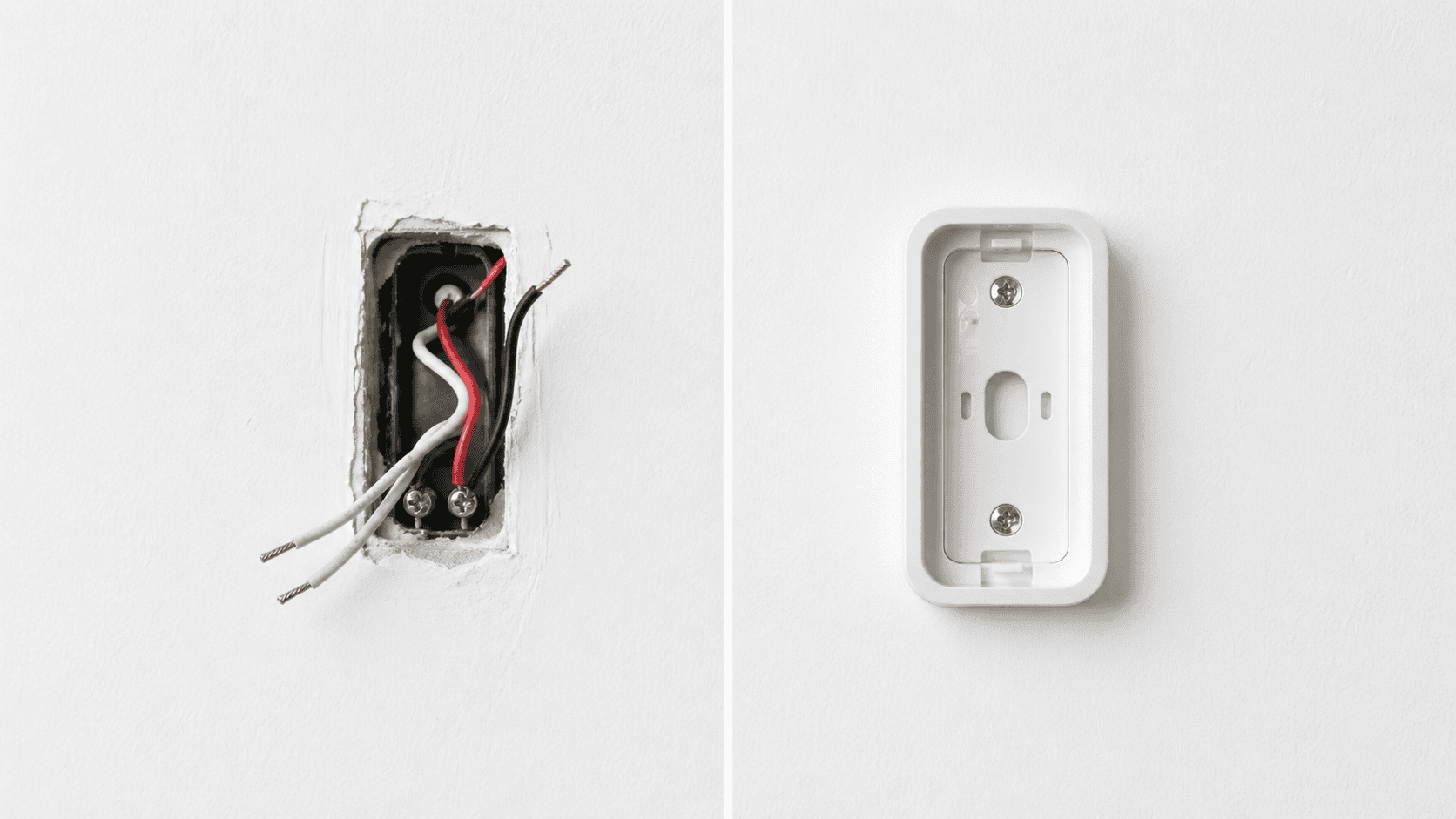
The wired versus wireless question is the first decision most doorbell camera buyers face, and it is also the most frequently misunderstood. The terminology itself creates confusion: nearly every doorbell camera on the market — wired or wireless — transmits video over Wi-Fi. The distinction between the two types is almost entirely about how the camera gets its power, not how it communicates.
Understanding that distinction, and what it actually means for your day-to-day experience, will make the rest of your buying decision considerably easier. This guide covers how each type works, what each does better, the situations where one is clearly the right answer, and what to check before you buy.
What Wired and Wireless Actually Mean
A wired doorbell camera connects to your home’s existing low-voltage doorbell wiring — typically a 16 to 24V AC circuit running from a transformer inside the house to the front door. This wiring provides continuous electrical power. The camera still connects to your home Wi-Fi network for video transmission, app access, and smart home integration. The wiring is for power only.
A wireless doorbell camera runs on a built-in rechargeable battery. It connects to your home Wi-Fi network for the same video transmission and app functions. There are no wires running to the unit at all. Some wireless cameras can optionally connect to existing doorbell wiring for continuous charging while retaining their battery as a backup — these hybrid models are the most flexible option in the category.
The practical consequence of this distinction is straightforward. Wired cameras are always on, always powered, and never need charging. Wireless cameras are more flexible to install but require periodic recharging, the frequency of which depends on traffic volume, temperature, and how aggressively the camera records.
The Case for Wired
Wired doorbell cameras solve three problems that wireless models manage rather than eliminate: battery maintenance, cold-weather reliability, and continuous recording.
The most significant advantage is continuity of power. A wired camera never has a charging window, never dies during a period of high activity, and never misses an event because the battery ran low. For homeowners who want a genuinely set-it-and-forget-it security camera, wired installation delivers that in a way that battery power cannot fully replicate. The inconvenience of removing a wireless doorbell for charging — even models with removable batteries — is a recurring maintenance task that wired cameras eliminate permanently.
Cold weather is a genuine concern for battery-powered cameras that is often underestimated at the time of purchase. Battery capacity degrades meaningfully at low temperatures, and cameras that claim six-month battery life in temperate conditions may require monthly charging in climates that regularly dip below freezing. Wired cameras are unaffected by temperature on the power side — they draw from the transformer regardless of ambient conditions.
Continuous 24/7 recording is only practically available on wired cameras. Battery-powered models record in response to motion or doorbell presses to conserve power, which means anything that happens between detected events goes unrecorded. For buyers who want a complete timestamped record of front-door activity rather than a collection of motion-triggered clips, wired power with a suitable storage plan is the only architecture that delivers it.
Wired cameras also tend to have faster wake-up times and lower notification latency. Battery cameras spend time in a low-power sleep state to conserve energy, and the transition from sleep to active recording introduces a small delay — typically half a second to two seconds — that can cause the first moment of a motion event to be missed. Wired cameras are always active, which means the recording begins the instant motion is detected rather than after a wake-up period.
The Case for Wireless
The most compelling argument for a wireless doorbell camera is that it works in homes without existing doorbell wiring, which covers a significant share of the market. Roughly 40 percent of US homes lack traditional low-voltage doorbell wiring, and the cost of running new wire from a transformer to the front door ranges from $100 to $300 with a licensed electrician. For buyers in those homes, wireless is not a preference — it is the practical option.
Installation speed and simplicity are genuinely different between the two types. A wireless doorbell camera installs in under twenty minutes: mount the bracket, snap the camera into place, download the app, and follow the setup guide. No electrical connections, no chime box adjustments, no transformer compatibility checks. For first-time buyers and non-technical homeowners, the difference in installation experience is real and worth weighting.
Portability is a meaningful advantage for renters and anyone who moves frequently. A wireless doorbell camera that installs without drilling can be removed in five minutes and reinstalled at a new address without losing functionality. A wired camera can be physically moved as well, but the wiring connection at the previous address needs to be capped and the new address needs compatible wiring.
Wireless cameras also maintain operation during power outages. When your home loses electricity, a wired doorbell loses power along with everything else on the circuit. A battery-powered camera continues recording and sending alerts as long as your Wi-Fi router has battery backup or the outage is brief enough that the router’s capacitor holds. For buyers in areas with frequent power interruptions, this resilience is a practical advantage.
The Hybrid Option
Many of the most popular doorbell cameras on the market — including the Ring Battery Doorbell Plus, the Arlo Video Doorbell 2K, the Eufy E340, and the Wyze Video Doorbell Pro — are designed to work in both battery and wired modes using the same hardware. In battery mode they operate fully wireless. When connected to existing doorbell wiring they draw continuous power, maintain the battery at full charge, and activate your existing wired chime when the button is pressed.
For buyers whose homes have existing doorbell wiring, a hybrid camera is often the best of both worlds: the installation flexibility and portability of a wireless model, with the continuous power and chime integration of a wired one. The only feature that hybrid models in battery-plus-wired mode typically cannot provide that dedicated wired cameras can is true 24/7 continuous recording — most hybrids still default to event-based recording even when hardwired.
What to Check Before Deciding
Several practical questions will narrow the choice before you evaluate specific cameras.
The first is whether your home has existing doorbell wiring. If you have a traditional wired doorbell button and a chime that rings when pressed, the infrastructure is almost certainly in place. Turn off the circuit breaker for the doorbell circuit and remove the existing button from the wall — if you see two thin wires, typically 18-gauge, connected to terminals on the back of the button, you have compatible wiring. A multimeter test at the transformer confirms whether it is delivering the 16 to 24V AC that most cameras require.
The second is whether your transformer is sufficiently powered. Older homes sometimes have underpowered transformers — 8V or 10V units — that ran a simple mechanical chime but cannot supply enough power to run a camera and a digital chime simultaneously. Most camera manufacturers recommend a 16 to 24V AC transformer. Replacing an underpowered transformer is a straightforward task that costs under $20 in parts and requires turning off the circuit breaker, swapping the unit, and restoring power. It is worth doing before installing any wired or hybrid camera.
The third is whether you are renting or own your home. Renters who cannot modify the property should default to a wireless camera with a no-drill mounting option. Homeowners who plan to stay in the property long-term get the most value from a wired installation.
The fourth is your climate. If your winters regularly involve extended periods below freezing, a wired installation eliminates the battery degradation concern entirely. If you live in a mild climate and rarely see temperatures below 10 degrees Celsius, battery performance in winter is unlikely to be a practical problem.
Feature Comparison at a Glance
| Feature | Wired | Wireless |
|---|---|---|
| Requires existing wiring | Yes | No |
| Needs recharging | Never | Every 1–6 months |
| Works during power outage | No | Yes (with Wi-Fi backup) |
| 24/7 continuous recording | Yes | Rarely |
| Installation difficulty | Moderate | Easy |
| Cold weather reliability | High | Variable |
| Portability | Low | High |
| Suitable for renters | Rarely | Yes |
| Notification latency | Lower | Slightly higher |
| Existing chime activation | Yes | Only when hardwired |
Which Should You Buy
Buy a wired or hardwired-hybrid camera if you own your home, have existing doorbell wiring, want continuous power with no maintenance, live in a cold climate, or want 24/7 recording capability. The Google Nest Doorbell Wired 3rd Gen and the Ring Wired Doorbell Pro are the strongest dedicated wired options in 2026. For hybrid flexibility, the Ring Battery Doorbell Plus and the Arlo Video Doorbell 2K both support wired and battery operation in the same unit.
Buy a wireless camera if your home lacks existing doorbell wiring, you are renting, you want the simplest possible installation, you need a camera you can take with you when you move, or your climate is mild enough that battery degradation is not a concern. The Eufy Video Doorbell C31, the Ring Battery Doorbell Plus in battery mode, and the Wyze Battery Video Doorbell are the strongest wireless-first options available.
If you have existing doorbell wiring and want the most flexibility, a hybrid camera that supports both modes is the most practical single purchase. It works immediately in battery mode, and connecting it to your wiring later adds continuous power without replacing the unit.
